This is the page I wanted every time an editor asked me “what size again?”
Bookmark it. Send it to your editor. Pretend you wrote it yourself, I won’t tell.
Last checked against Snap’s ad formats page on 29 October 2026.
The one rule that covers 90% of it
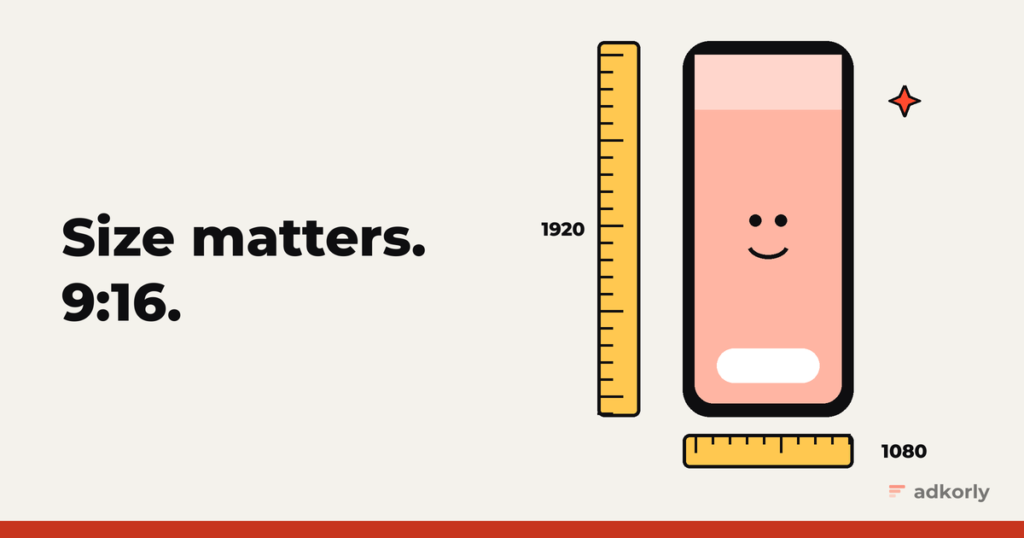
Vertical. 9:16. Full screen.
Snap lists 720 x 1280 as the size for most formats. In practice, export at 1080 x 1920. Same shape, sharper result, and nobody ever got rejected for being too sharp.
Quick specs by format
| Format | Size | Length | File types | Text limits |
|---|---|---|---|---|
| Single image or video | 9:16, 1080 x 1920 (Snap lists 720 x 1280) | Video 3 to 180 seconds | .jpg, .png, .mp4, .mov | Brand name 25 characters, headline 34 |
| Story ads | 9:16, same as above | 3 to 180 seconds | .jpg, .png, .mp4, .mov | Brand name 25, headline 34 |
| Collection ads | 9:16, same as above | 3 to 180 seconds | .jpg, .png, .mp4, .mov | Brand name 25, headline 34 |
| Commercials | 9:16 | Standard 3 to 6 seconds, extended 7 to 180 seconds | .mp4, .mov (H.264) | First 6 seconds can’t be skipped |
| Sponsored Snaps | 9:16 | Up to 180 seconds, Snap suggests under 10 | .jpg, .png, .mp4, .mov | Brand name 25, headline 25 to 28 recommended, 34 max |
| AR filters | Static 945 x 2048 (.png), animated 720 x 1560 (.gif) | Animated 1 to 3 seconds | .png, .gif | Logo or brand name visible |
Character limits include spaces. “Get 50% off today!!!” is 20 characters, and also a fast way to meet Snap’s review team.
Where Snap puts its own stuff on top of your video
This is the bit most people miss. Snap overlays your brand name and headline at the top and a call to action at the bottom. Whatever you put in those strips gets covered.
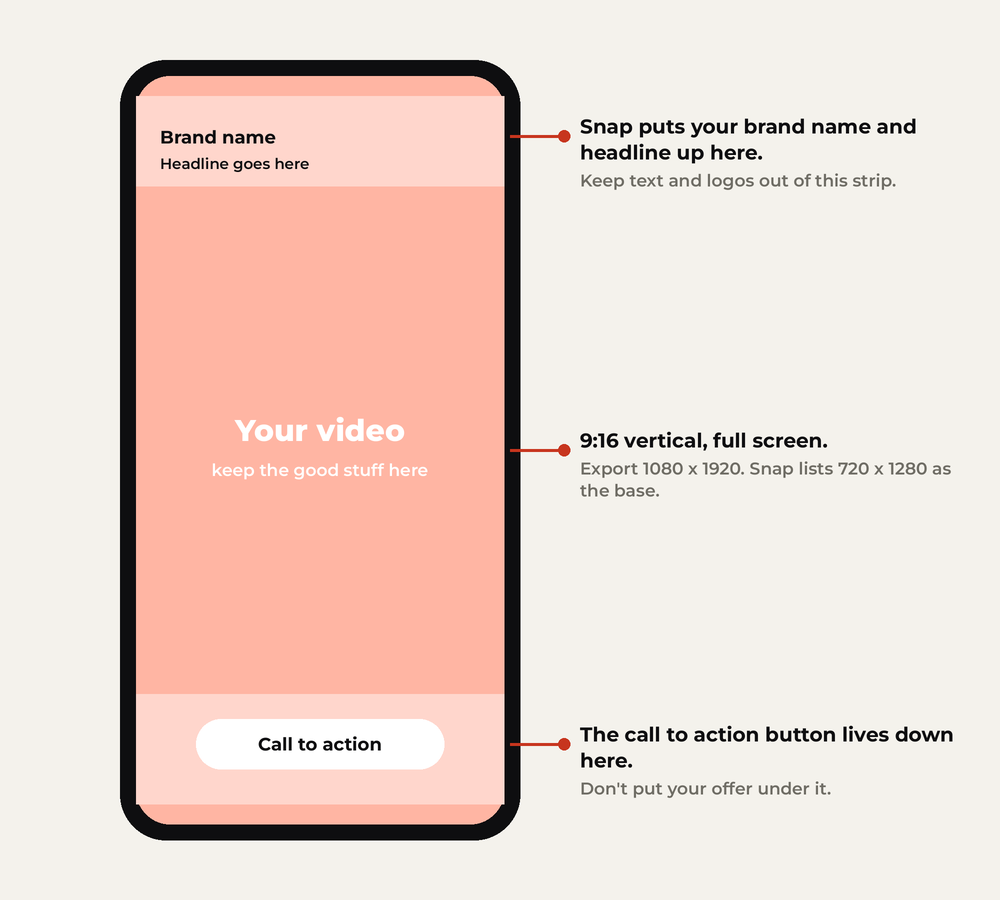
Simple rules:
- Keep text, faces and logos in the middle of the frame.
- Never put your price or offer at the very bottom. That’s where the button lives.
- Check the preview in Ads Manager before you upload a batch. It shows the overlays on your actual video.
The spec mistakes that cost you the most
Specs rarely get an ad rejected on their own. But these mistakes waste money quietly:
- Horizontal or square video, letterboxed. It runs, it just looks like an ad from 2014.
- Text in the overlay zones. Your headline covers your headline. Nobody reads either.
- No captions. Plenty of people watch with the sound off. Burn in the key line.
- Slow first second. You have about a second before the thumb moves. Start with the hook, not the logo.
- Headline over 34 characters. It won’t let you. Ask me how I know.
File size, codecs and the boring stuff
Snap’s help pages list the exact upload limits per format, and they change from time to time. If you stick to these, you’ll basically never hit them:
- Video: MP4, H.264, 1080 x 1920, 30 fps, under a minute for most performance ads.
- Images: PNG or JPG at 1080 x 1920.
- Audio: clear voice, normalised, and captions on top.
If an upload fails, compress first and ask questions later.
Your pre-upload checklist
- 9:16, exported at 1080 x 1920
- Key text and offer in the middle, nothing under the button
- Brand name 25 characters or fewer, headline 34 or fewer
- Captions burned in
- Hook in the first second
- Previewed in Ads Manager with the overlays on
Got this right and still getting rejected? Specs are rarely the reason. Here’s what actually gets Snapchat ads rejected, from 58,000 ads of data.
Which spec trips up your team the most? I’ll add it here. Let me know.
Cheers,
Johannes