Google is very good at finding people who convert.
It’s also completely blind to conversions you don’t tell it about. And in 2026 a lot of the old ways of telling it quietly changed.
So here’s the current setup, in the order I’d build it.
Checked against Google’s help pages and developer docs on 10 November 2026.
The three layers
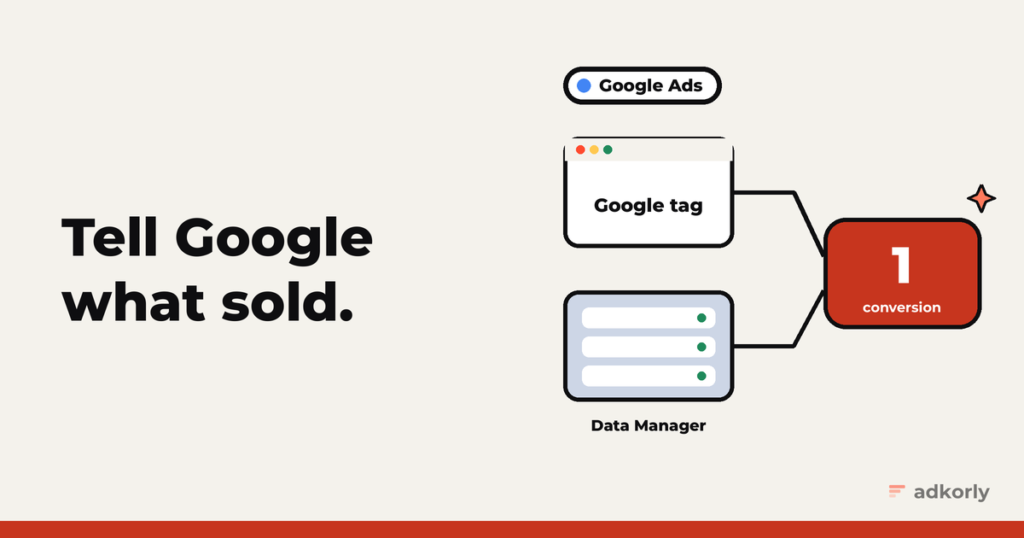
Think of Google Ads tracking as three layers, each catching what the one before missed:
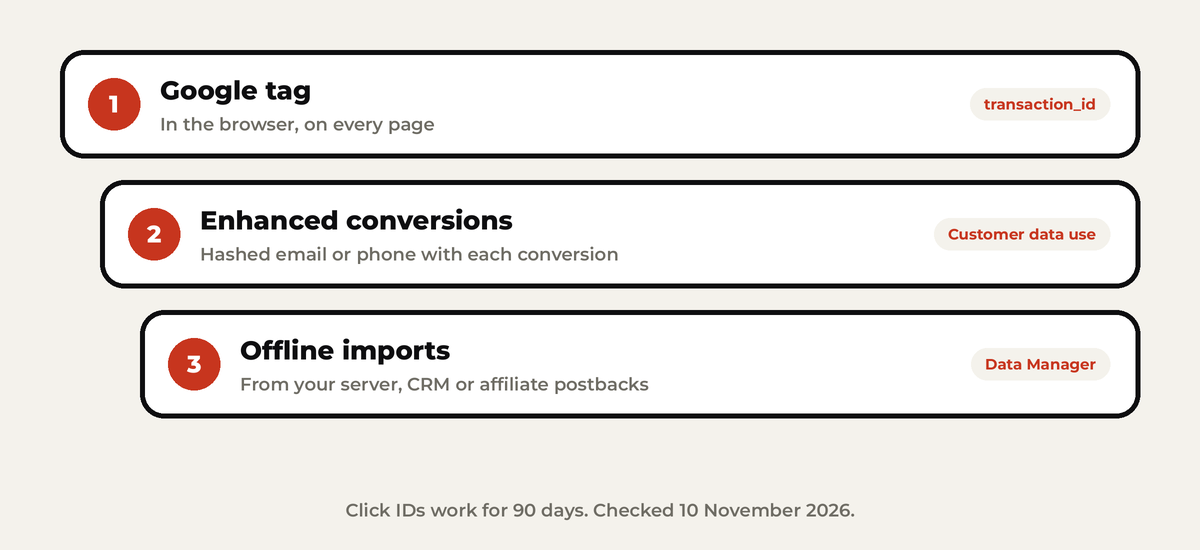
- The Google tag in the browser. The basics.
- Enhanced conversions. Hashed email or phone sent along, so Google can match conversions the cookies missed.
- Offline imports. Conversions from your server, CRM or affiliate network, matched by click ID.
Most accounts I see stop at layer one. Most of the money is in two and three.
Layer 1: the Google tag
The Google tag goes on every page. On the conversion page, an event snippet fires with:
send_to: yourAW-conversion ID and labelvalueandcurrencytransaction_id, so the same order never counts twice
Create the conversion action under Goals, Summary, Create conversion action. Set your real conversion to Primary (Google bids on it) and anything softer to Secondary (Google only reports it).
Two things worth knowing:
- Click info lives in first-party cookies like
_gcl_aw, kept for 90 days. - Google tag gateway (new in 2025) serves the tag from your own domain through Cloudflare or your CDN. Google claims around 11% more signal. It’s cheap to try.
Layer 2: enhanced conversions
When someone converts, you send their email (and ideally phone, name and address), normalized and hashed with SHA-256. Google matches it against signed-in users and recovers conversions the cookie lost.
With the Google tag it looks like this:
gtag('set', 'user_data', {
  email: 'jane@example.com',
  phone_number: '+37255512345'
});
The tag hashes it for you. If you hash yourself, the rules are strict: trim, lowercase, phone in E.164 format, and for Gmail addresses remove the dots and anything after a plus.
The 2026 change: from June, enhanced conversions for web and for leads became one switch, under Goals, Settings, “Customer data use”. Existing setups were moved over automatically. Check yours is on.
Give the diagnostics about 72 hours, then look at the match rate in the conversion action’s diagnostics.
Layer 3: offline imports (this changed the most)
This is how you send conversions that happen somewhere the tag can’t see: your CRM, a phone sale, or an affiliate network.
The big 2026 news: the old Google Ads API upload method, UploadClickConversions, stopped accepting new users in June 2026. Google now points everyone to Data Manager:
- No code: Data Manager in the Google Ads UI pulls from Google Sheets, SFTP, BigQuery, HubSpot, Salesforce and more.
- Code: the Data Manager API, with the click ID, an
eventTimestampwith its time zone, atransactionId, value, currency and consent.
The rules that trip people up:
- The click ID is only good for 90 days. Uploads with only hashed user data, 63.
- Don’t upload too soon. Wait 4 to 6 hours after creating a new conversion action, and 6 hours after the click.
- Always include the time zone in the conversion time, and the time must be after the click.
Affiliates: the sale happens on someone else’s site
You can’t put your tag on the merchant’s checkout. So:
- On your landing page, save the click IDs Google adds to the URL:
gclid, plusgbraidorwbraidfor iOS traffic. - Pass them to the network as a sub ID.
- The network’s postback tells your server which click converted, and for how much.
- Upload to an “Import from clicks” conversion action at least daily, through Data Manager.
Google takes gclid first if you send several IDs, and asks you to send every one you have.
Heads up for anyone building tools on top of this: since August 2026 Google’s developer policies require every integration to run on its own Google Cloud project. Shared middlemen that pass many businesses’ data through one connection are out.
Deduplication
Google deduplicates by transaction_id (called Order ID in imports), per conversion action. So:
- Same order, same ID, everywhere you send it.
- Never test with a copy of a live conversion action. Dedup doesn’t work across actions, so you’ll count everything twice.
- If you want the tag and your backend to report the same conversion, look at multi-source conversions (in beta): one action, two sources, matched by transaction ID.
Consent Mode v2 (EU traffic)
If you show ads to people in the EEA, Google expects Consent Mode v2 with four signals: ad_storage, ad_user_data, ad_personalization and analytics_storage.
- Basic mode: tags wait until the visitor answers the banner.
- Advanced mode: tags load with consent denied and send cookieless pings, so Google can model some of the missing conversions.
ad_user_datamatters most here: without it, enhanced conversions don’t use the hashed data.
Offline imports need the consent fields too. Leave them out and conversions may not be attributed.
The mistakes I see most
- No
transaction_id, so refreshes of the thank-you page count again. - A plugin plus the Google tag, both firing. Double conversions.
- Uploading click IDs older than 90 days, or without a time zone.
- Hashing the wrong fields: hash email, phone, names and street. Don’t hash country or postal code.
- Missing consent signals for EU traffic.
- Still building on the old API upload method. New integrations should use Data Manager.
The easy way
Google Tag Manager handles layers one and two without much code. For WordPress, full disclosure: I built Straycy, which sends server-side conversions to Google, Meta, Snap and Reddit.
Running on more than one platform? Start with why server-side tracking matters at all, then do the same for Meta and Snapchat.
Which layer is your account missing right now? Be honest. Tell me.
Cheers,
Johannes