Pinterest is the platform where people plan. They save the sofa in March and buy it in May.
That’s great for advertisers, and terrible for tracking that only looks at the browser. By the time they buy, the cookie’s gone and your report says Pinterest did nothing.
Here’s how to prove it did.
Checked against Pinterest’s developer docs on 10 November 2026. The API is still v5.
Tag vs Conversions API
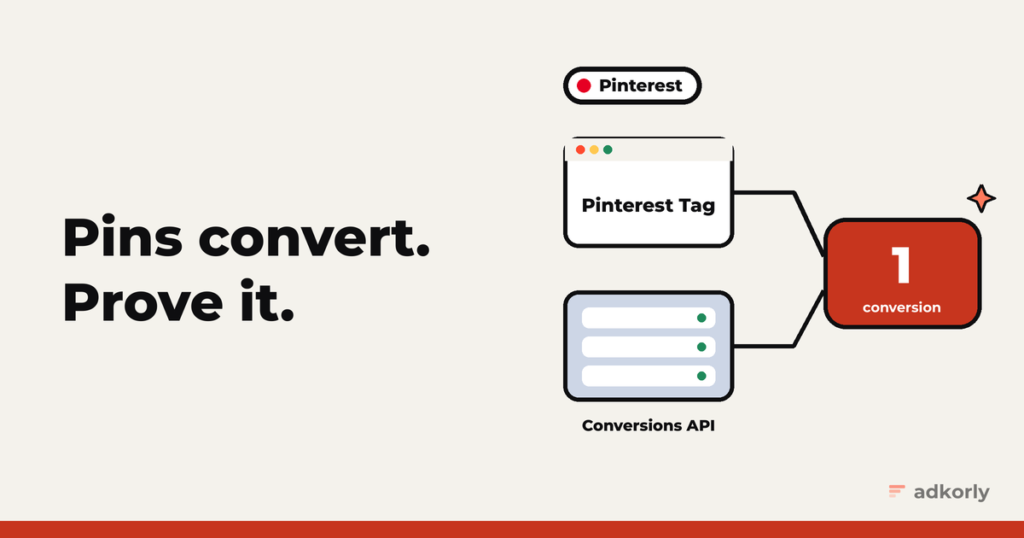
- The Pinterest Tag runs in the browser.
- The Conversions API sends events from your server.
Use both. Pinterest keeps the first event it receives and drops the duplicate, as long as both carry the same event_id.
Step 1: the Pinterest Tag
Base code once per page, in the <head>, before any event code:
pintrk('load', 'YOUR_TAG_ID', { em: '<email or its sha256>' });
pintrk('page');
Then track events where they happen:
pintrk('track', 'checkout', {
  value: 42.5, currency: 'EUR', order_quantity: 1,
  order_id: 'order-48213', event_id: 'order-48213'
});
The events most performance advertisers need: pagevisit, addtocart, lead, signup and checkout. Pinterest added more in 2025 and 2026 (initiate_checkout, subscribe, view_content, start_trial and others), plus up to 15 custom events of your own.
The tag sets an _epik cookie with the click ID. Remember that name. It’s the most important thing in this post.
Step 2: the Conversions API
Get a token. In Ads Manager, open the menu, go to Conversions, then Set Up API, and generate a new token. You need business access to the ad account.
Send events to:
POST https://api.pinterest.com/v5/ad_accounts/{AD_ACCOUNT_ID}/events
Authorization: Bearer {TOKEN}
A minimal checkout:
{
  "data": [{
    "event_name": "checkout",
    "action_source": "web",
    "event_time": 1793800000,
    "event_id": "order-48213",
    "event_source_url": "https://example.com/thank-you",
    "user_data": {
      "em": ["<sha256 of the email>"],
      "client_ip_address": "203.0.113.7",
      "client_user_agent": "Mozilla/5.0 ...",
      "click_id": "<value of the _epik cookie>"
    },
    "custom_data": { "currency": "EUR", "value": "42.50", "order_id": "order-48213" }
  }]
}
The rules:
event_name,action_source,event_time,event_idanduser_dataare required. Server event names are lowercase with underscores:checkout,add_to_cart,page_visit,lead,signup.- Up to 1,000 events per request. A bad event fails on its own, the rest still go through.
- Send in real time, or within an hour at most.
- Always send
currencywithvalue. Use the total before tax and shipping. No zero or negative values.
Deduplication
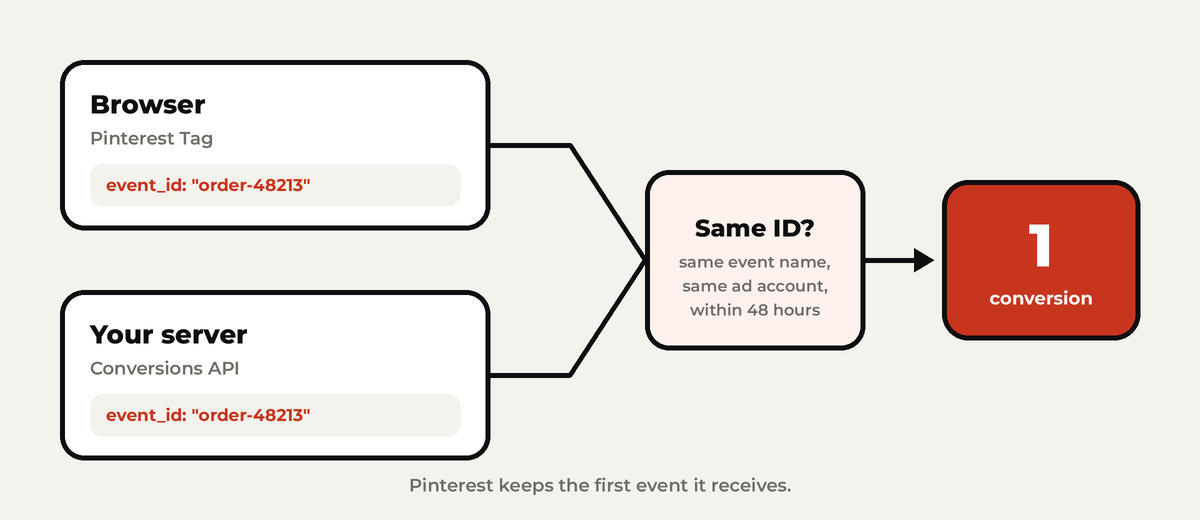
- The same
event_idfrom the tag and the server. - Pinterest keeps the first and removes duplicates within 48 hours.
- For purchases, use the order ID. Never reuse one ID for two orders.
Match keys
- At least one of: hashed email, a hashed mobile ad ID, or IP address plus user agent.
- Hash with SHA-256:
em,ph,ln,ct,st,zp,country,db,ge,external_id. Lowercase first. - Don’t hash:
client_ip_address,client_user_agent,click_id. click_id: Pinterest wants the_epikcookie value, not theepikURL parameter, because the parameter often gets stripped. For ad clicks, also keep the&epik=part in yourevent_source_url.
Affiliates: the sale happens on someone else’s site
- Save the
epikvalue when the visitor lands: the_epikcookie if the tag is on your page, otherwise theepikURL parameter. - Pass a sub ID to the network.
- On the postback, send a
checkoutorleadwith the stored value inclick_id. For conversions that didn’t happen on a website, useaction_source: "offline".
Testing and quality
- Test mode: add
?test=trueto the endpoint. Events go to a sandbox, show under Conversions, Test events, and don’t affect reporting. Only the first 20 events per request are processed. - Event Quality Score (launched October 2025) rates your setup Good, Fair or Needs improvement, under Conversions in Ads Manager. It checks your customer information, your event details and your duplicates.
Consent
- EU visitors: no tag before consent, and server events need a legal basis too. Pinterest doesn’t offer a special consent command, so your cookie banner has to hold the tag back.
- US privacy laws: Limited Data Processing, through
opt_out_type: "LDP".
The easy way
- Server-side Google Tag Manager has a Pinterest Conversions API tag that maps GA4 events for you:
purchasebecomescheckout,generate_leadbecomeslead. - Integration partners connect from Ads Manager when you enter your website URL.
- File upload in Ads Manager, for conversions up to 30 days old, if nothing else works.
The mistakes I see most
- No
event_idon the tag, so nothing deduplicates. - Using the
epikURL parameter when the_epikcookie was right there. - Camel case event names on the server. It’s
add_to_cart, notAddToCart. - Value without currency, or a value of zero.
- Custom events not mapped to a standard event, so they never show up in reports.
Starting from scratch? Read why server-side tracking matters first. Same setup for Meta, TikTok and Snapchat.
Do you run Pinterest for performance, or just for brand? I’m curious who’s making it work. Tell me.
Cheers,
Johannes