LinkedIn clicks are expensive. The keyword “linkedin insight tag” alone has a cost per click of over $30 in search ads. That tells you what B2B marketers pay to get this right.
When every click costs that much, losing a third of your leads to bad tracking isn’t a rounding error. It’s your budget.
Here’s the setup that works in 2026.
Checked against LinkedIn’s developer docs on 10 November 2026.
Insight Tag vs Conversions API
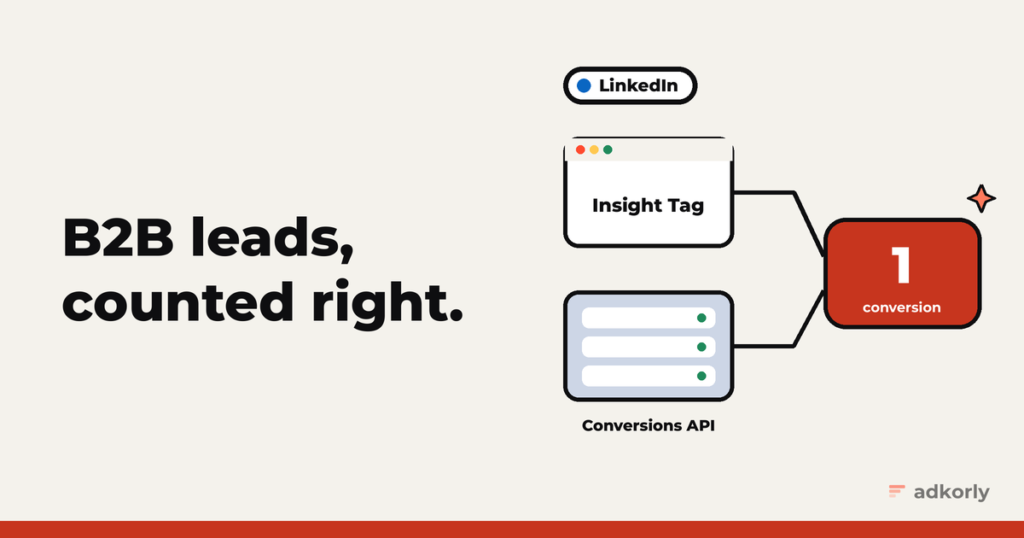
- The Insight Tag is LinkedIn’s browser code. It tracks visits and conversions on your site.
- The Conversions API (CAPI) sends conversions from your server or CRM. That’s where LinkedIn really shines, because the best B2B conversions happen after the form: the qualified lead, the booked demo, the signed deal.
Use both. LinkedIn handles the overlap for you, as long as you give it an event ID.
Step 1: the Insight Tag and conversion rules
Put the tag in your site’s footer, just before </body>. Then create conversion rules. Two kinds:
- URL-based: “count a conversion when someone visits a page that starts with /thank-you”. Match types are exact, starts with, or contains. No regex.
- Event-specific: fired from your code, for example on a form submit:
window.lintrk('track', { conversion_id: 12345, event_id: 'lead-48213' });Default attribution windows are 30 days after a click and 7 days after a view.
Step 2: catch li_fat_id
When “enhanced conversion tracking” is on (the default for new tags), LinkedIn adds li_fat_id to your landing page URL on ad clicks and stores it in a first-party cookie for 30 days.
Save it in a hidden form field and keep it with the lead in your CRM. It’s your best match key later. LinkedIn keeps the link between that ID and the member for a year, so it still works after the cookie is gone.
Step 3: the Conversions API
Get a token. In Campaign Manager, go to Data, Signals Manager, Direct API, and generate an access token. It doesn’t expire and LinkedIn doesn’t show it again, so store it safely on your server.
Create a conversion rule for the API, separate from your Insight Tag rule. Types include LEAD, QUALIFIED_LEAD, PURCHASE and, since August 2026, MARKETING_QUALIFIED_LEAD and SALES_QUALIFIED_LEAD.
Send events to https://api.linkedin.com/rest/conversionEvents, with the headers Linkedin-Version (a monthly version like 202610) and X-Restli-Protocol-Version: 2.0.0. A minimal event:
{
  "conversion": "urn:lla:llaPartnerConversion:123456",
  "conversionHappenedAt": 1793800000000,
  "conversionValue": { "currencyCode": "EUR", "amount": "1200" },
  "eventId": "lead-48213",
  "user": {
    "userIds": [
      { "idType": "SHA256_EMAIL", "idValue": "<sha256 of the email>" },
      { "idType": "LINKEDIN_FIRST_PARTY_ADS_TRACKING_UUID", "idValue": "<li_fat_id>" }
    ],
    "userInfo": { "firstName": "Jane", "lastName": "Doe", "companyName": "Acme", "countryCode": "EE" }
  }
}
The rules:
- Events must be less than 90 days old. Time in milliseconds.
- The value amount is a string, not a number.
- Batches take up to 5,000 events, but one bad record fails the whole batch. Validate first.
Send your qualified leads back
This is the part that pays for the whole setup. A form fill is cheap. A lead your sales team marks as qualified is what you actually want more of.
So when a lead becomes qualified in your CRM, send a QUALIFIED_LEAD (or MQL, or SQL) event with the same email and li_fat_id. LinkedIn wants these within 30 days to use them for optimization. Then point your campaigns at the qualified event, not the form fill.
Deduplication
LinkedIn’s rule is a bit different from Meta’s or Snap’s:
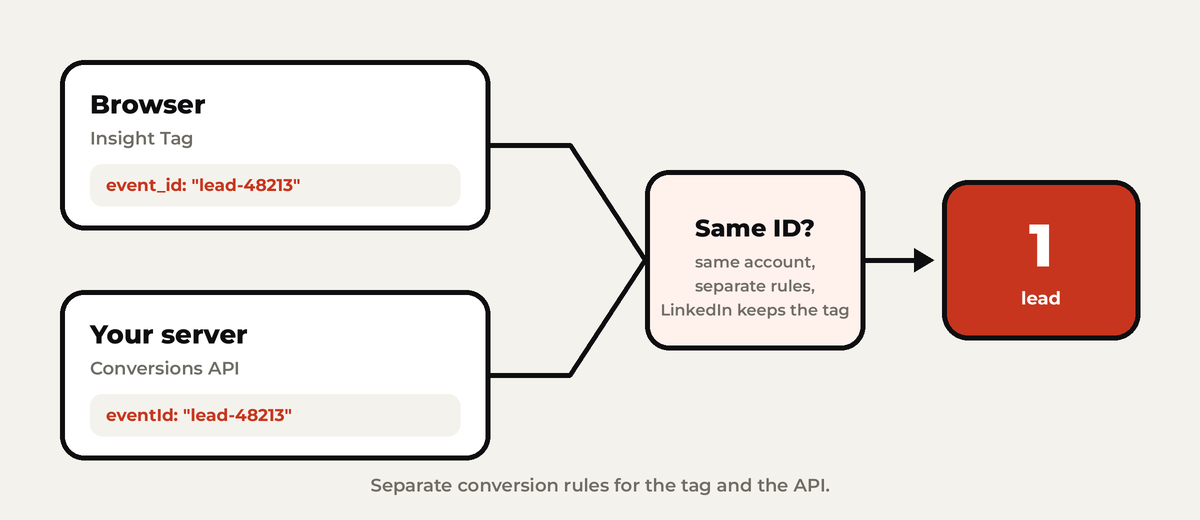
- Separate conversion rules for the tag and the API.
- The same
eventIdon both sides. In the browser that’sevent_idinlintrk, orwindow._linkedin_event_idfor page-load rules. - LinkedIn keeps the Insight Tag event and drops the API duplicate. So in a healthy setup, the tag shows more conversions than the API in the breakdown. That’s normal.
Matching and reporting
- Send both the hashed email and
li_fat_id. LinkedIn recommends exactly that pair. - Hash properly: lowercase, remove spaces, SHA-256, no salt.
- Be patient. Allow up to 72 hours before events show in reporting.
- Watch for “Low Match Rate” on a conversion rule in Campaign Manager. It usually means missing
li_fat_idor badly normalized emails.
The easy way
LinkedIn maintains a Conversions API template for server-side Google Tag Manager (it works with the GA4 client). HubSpot, Zapier and a few others connect without code too.
One thing to put in your calendar if you build it yourself: LinkedIn releases a new API version every month and retires old ones after about a year. Version 202511, for example, retires on 16 November 2026. Old version, broken tracking.
The mistakes I see most
- Only the Insight Tag, so offline and qualified conversions never reach LinkedIn.
- No
li_fat_idstored, so matching relies on email alone. - One rule for both tag and API, which breaks deduplication.
- Events older than 90 days from slow CRM syncs.
- An old API version nobody updated.
Running ads on more than LinkedIn? Start with why server-side tracking matters, then Google Ads and Meta.
What do you optimize LinkedIn campaigns for today: form fills or qualified leads? Tell me.
Cheers,
Johannes