TikTok is very good at finding people who’ll buy something they didn’t know existed ten seconds ago.
But it can only learn from sales it hears about. And if you set up your TikTok Pixel a couple of years ago, a few things have changed under your feet.
Here’s the 2026 setup.
Checked against TikTok’s developer docs and help center on 10 November 2026.
First: TikTok renamed its main events
From May 2025, TikTok renamed two of the events everyone uses:
CompletePaymentis nowPurchase.SubmitFormis nowLead.
The old names still work, and TikTok converts them for you. But new setups should use the new names. Two others, ClickButton and PlaceAnOrder, are only fully supported until 2027, so move off them now.
Pixel vs Events API
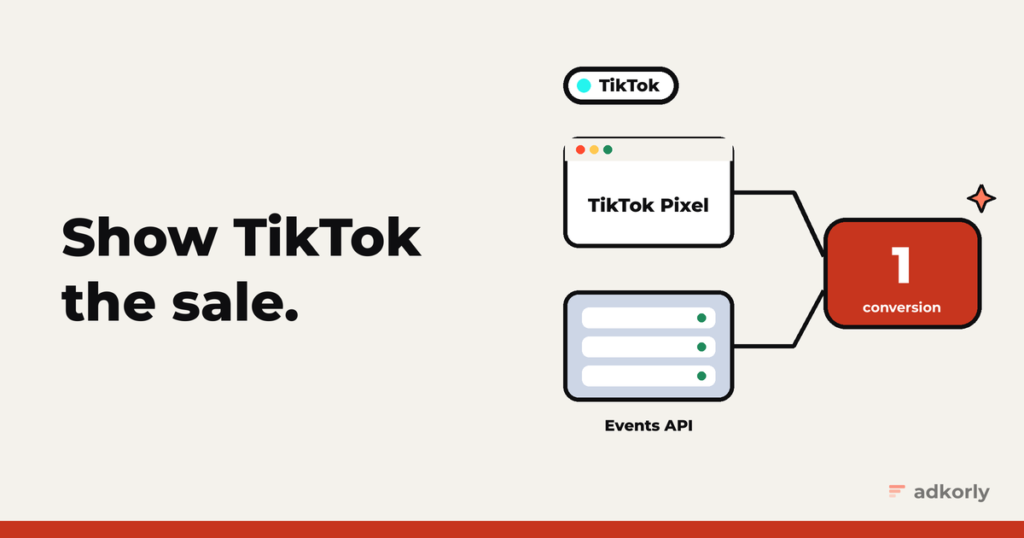
- The TikTok Pixel runs in the browser.
- The Events API sends events from your server, “a secure server-to-server integration” in TikTok’s words.
TikTok’s own recommended setup is both together. In Events Manager that’s literally an option: “TikTok Pixel + Events API”.
Step 1: the Pixel
In Ads Manager, go to Tools, Events Manager, Connect Data Source, Web. Pick a partner (Shopify, Google Tag Manager and others) or manual setup.
The standard events that matter for performance: ViewContent, AddToCart, InitiateCheckout, CompleteRegistration, Lead and Purchase. Names are case sensitive.
Two settings to switch on in the Pixel’s settings:
- First-party cookies, so the Pixel sets the
_ttpcookie. - Automatic Advanced Matching, so the Pixel picks up email and phone from your forms.
Step 2: the Events API
Get a token. In Events Manager, open your Pixel, go to Settings, and click Generate Access Token. You need to be an Admin or Operator. The token only works for pixels in the same ad account.
Send events to Events API 2.0:
POST https://business-api.tiktok.com/open_api/v1.3/event/track/
Access-Token: {TOKEN}
A minimal purchase:
{
  "event_source": "web",
  "event_source_id": "YOUR_PIXEL_CODE",
  "data": [{
    "event": "Purchase",
    "event_time": 1793800000,
    "event_id": "order-48213",
    "user": {
      "email": "<sha256 of the email>",
      "phone": "<sha256 of +37255512345>",
      "ttclid": "<the ttclid from the landing URL>",
      "ttp": "<value of the _ttp cookie>",
      "ip": "203.0.113.7",
      "user_agent": "Mozilla/5.0 ..."
    },
    "page": { "url": "https://example.com/thank-you" },
    "properties": { "value": 42.5, "currency": "EUR" }
  }]
}
The rules:
event_timein seconds.- Web events need
page.url. - Up to 1,000 events per request, and more than that rejects everything. TikTok actually prefers you send each event in real time.
- IP and user agent are sent automatically by the Pixel, but you have to add them yourself on the server.
Deduplication
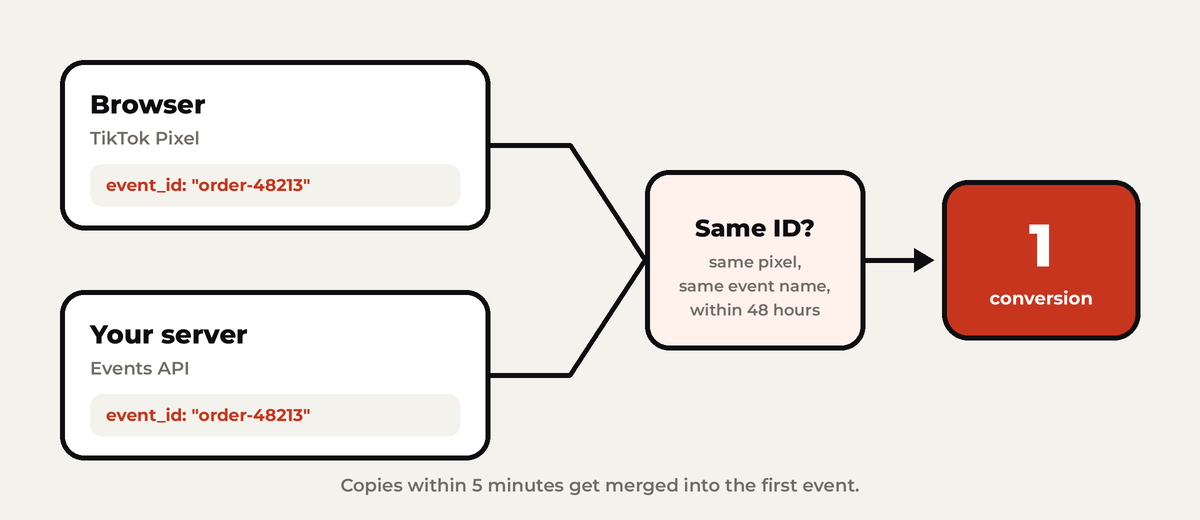
TikTok deduplicates on three things together: the pixel, the event name and the event_id.
- In the Pixel, the
event_idgoes in the third argument:ttq.track('Purchase', {value: 42.5, currency: 'EUR'}, {event_id: 'order-48213'}); - TikTok keeps the first event and drops copies within 48 hours.
- A nice bonus: if the copy arrives within 5 minutes, TikTok merges its data into the first one. So if the server event carries an email the browser didn’t have, it gets added.
To check it works, look at your Pixel’s event details. You want to see “Server & Browser” counts, not two separate piles.
Match keys
- Hash with SHA-256:
email(trimmed, lowercase),phone(E.164 with the plus and country code) andexternal_id. - Don’t hash:
ttclid,ttp,ipanduser_agent. ttclidis TikTok’s click ID, added to your landing page URL as?ttclid=. It can be up to 1,000 characters long, so never cut it short.ttpis the value of the_ttpcookie.
TikTok scores your matching as an EMQ score per event, in the Overview tab of Events Manager. Send email and phone on every event you can and it goes up.
Affiliates: the sale happens on someone else’s site
TikTok explicitly supports storing the click ID on your side:
- Save
ttclidfrom the landing page URL. TikTok suggests keeping it 28 days or more, and overwriting it when the same person clicks again. - Pass a sub ID to the network.
- When the postback arrives, send a
PurchaseorLeadto the Events API with the storedttclid, plus the payout asvalue.
Testing
- Test Events in Events Manager gives you a
test_event_code. Put it at the top level of your request. - Remove it before going live.
- The Diagnostics tab lists problems by severity, with the ads they affect.
- TikTok Pixel Helper, a Chrome extension, checks the browser side.
Consent
- EU visitors: TikTok requires you to get consent where the law says so, and to stop the Pixel’s cookies when someone declines. Use your cookie banner or tag manager to hold the Pixel back.
- US privacy laws: set
limited_data_useon events for visitors who opted out. - No sensitive data. The Events API terms forbid it.
The easy way
- Shopify’s TikTok app at “Enhanced” data sharing runs the Pixel, the Events API and advanced matching for you.
- Server-side Google Tag Manager has an official TikTok template that turns GA4 events into TikTok events.
- Events API Gateway copies your Pixel’s events to the API from a cloud server. Built mostly for agencies and platforms.
The mistakes I see most
- Old event names in a new setup.
- No
event_id, or a different one on each side. - A cut-off
ttclidbecause a database column was too short. - Missing
page.urlon web events. - Unnormalized email or phone before hashing.
test_event_codeleft in production.
Starting from scratch? Read why server-side tracking matters. Then the same setup for Meta, Google Ads and Snapchat.
What’s your TikTok EMQ score sitting at? Tell me, I collect these.
Cheers,
Johannes